
WinNotch 0.5.9: themes, Liquid Glass and the notch on any edge
Four themes including see-through Liquid Glass, a notch that stands on the left or right edge, player cards for every sport, and a rebuilt task drag.
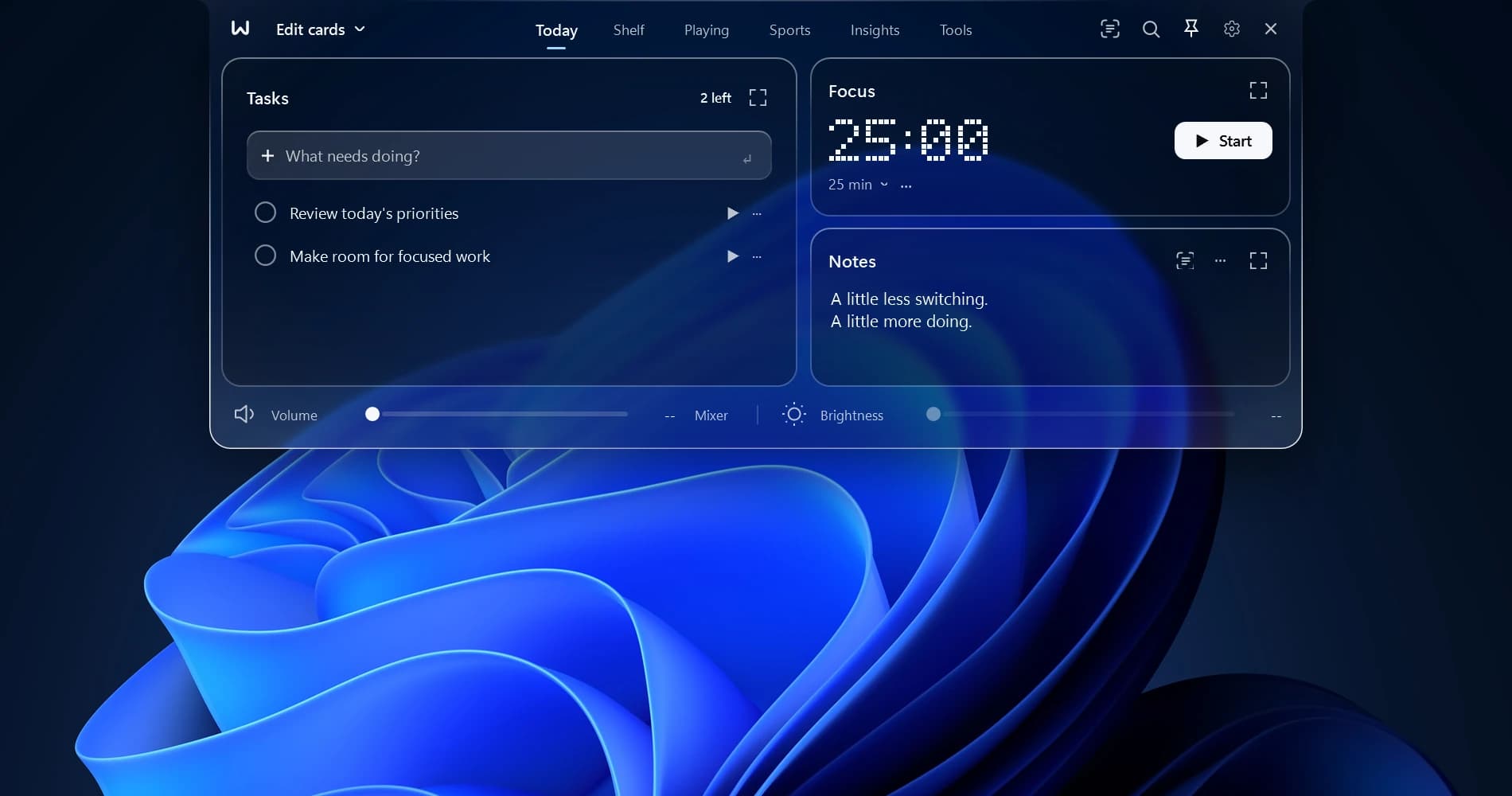
WinNotch 0.5.9 is our biggest visual update since launch. The notch can now wear a theme, stand on the side of your screen, and show you the player behind every goal. Here's what's new.
Four themes
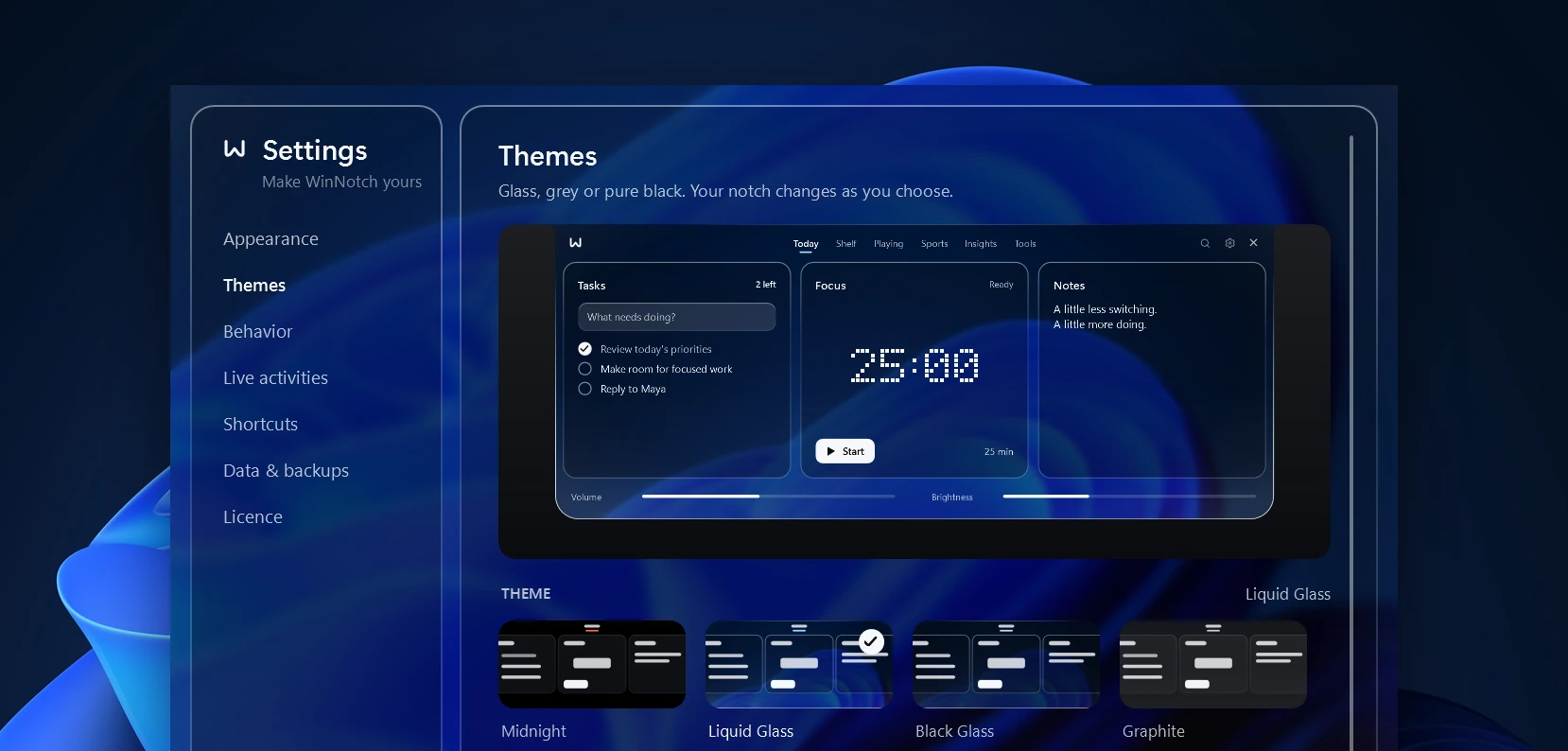
Open Settings → Themes and pick one. The open notch, Search and the Settings window change together in one smooth cross-fade, and opening the notch melts the theme in out of the black.
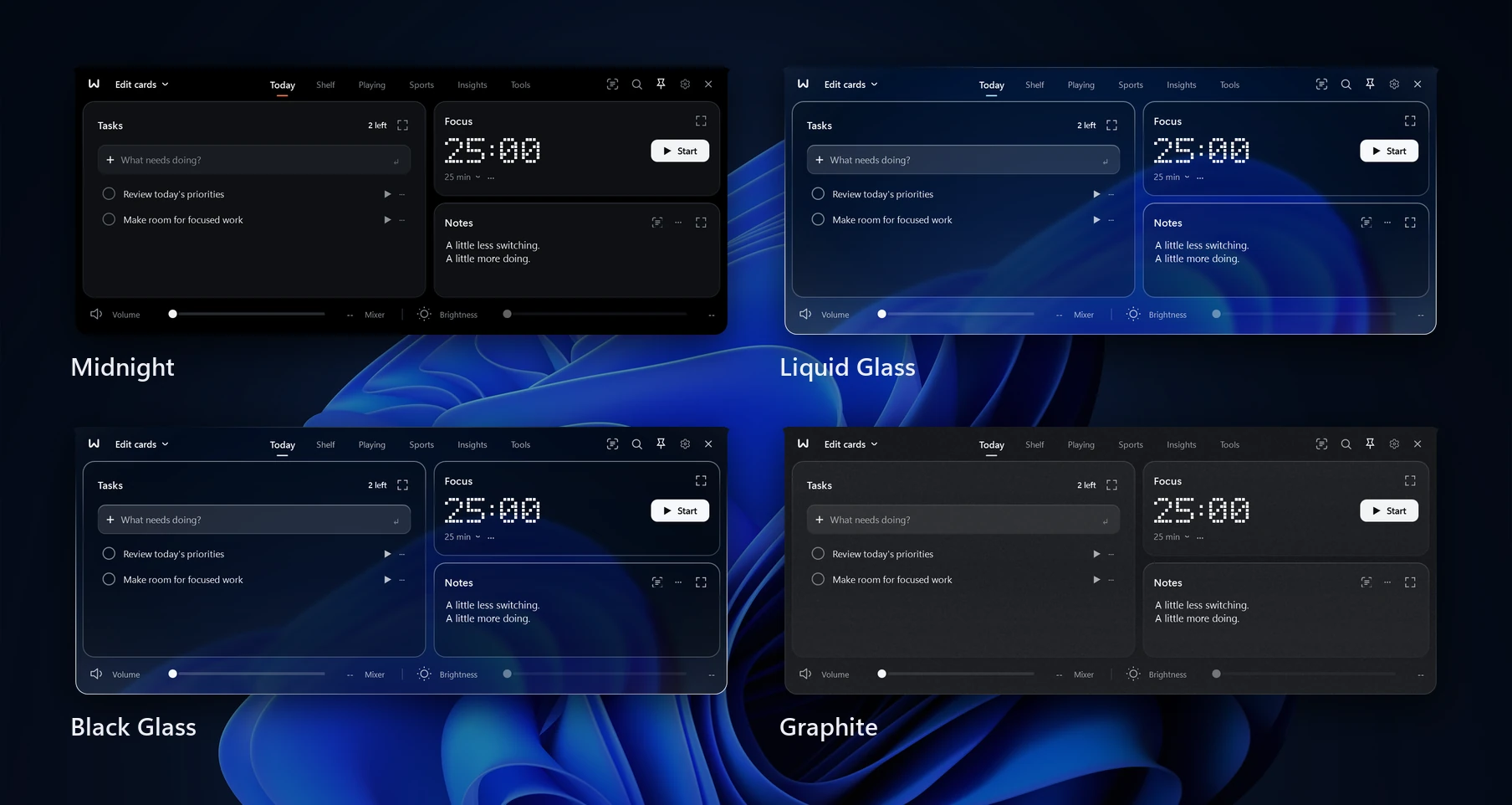
Midnight is the original pure black, and it stays the default.
Liquid Glass and Black Glass let what's behind the notch show through. More on them below.
Graphite is a calm grey, with no colour at all.
Pick an accent to colour buttons, switches and ticks in any theme, or leave it on the theme's own colour. Text stays easy to read in every one of them.
The compact notch stays black, like a real notch, with a thin line of the theme's colour along its lower edge. You can switch the line off in Themes. To change theme from anywhere, press Alt+K and type its name, or right-click the notch.
Liquid Glass
Liquid Glass is clear glass, like the iPhone's. Whatever is behind the open notch, the page you're reading or the video you're watching, shows through it live and lightly blurred. Its edges bend what lies just beyond them, and a bright rim of light catches its corners. The Settings window sees through the same way.
Black Glass is the same glass tinted smoky black, darker without hiding what's behind it. What the glass sees is never saved anywhere, and screenshots and recordings still show the notch.
The notch, on any edge
The notch can now live on the left or right edge of your screen as well as the top. Drag it towards a side and guides appear on the edges; let go and it stands against that edge as a slim upright capsule.
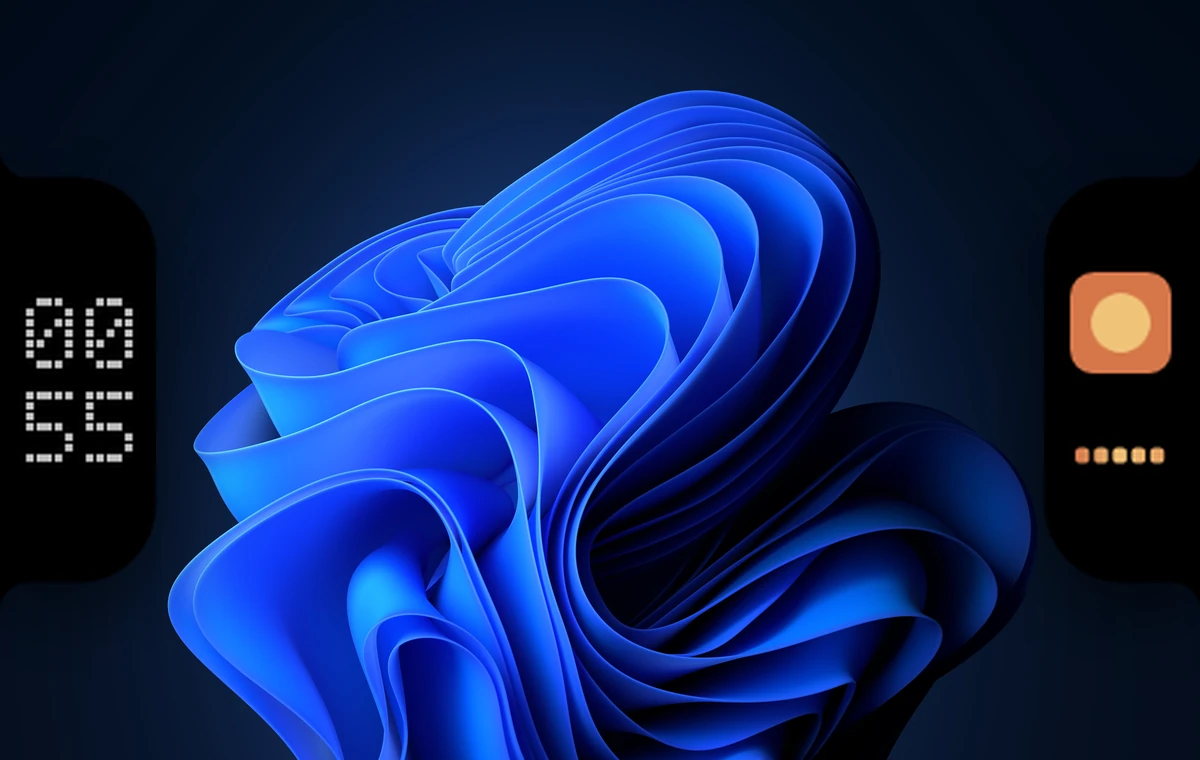
Everything in it is laid out the right way up: the time as hours over minutes, your album artwork, a scoreboard with the home side on top, and a volume slider that runs up the edge. Opening it puts the workspace beside the edge. Drag it back to the top any time, or use Settings → Appearance → Screen edge.
Player cards
A goal in the notch is now about the player. After GOALL!!, the scorer's picture appears with his name in large type over the minute, then whoever set it up. The picture is ESPN's photo of the player when there is one, otherwise his shirt and number in his side's colours, and a small football sits on it for each goal he has in the match.
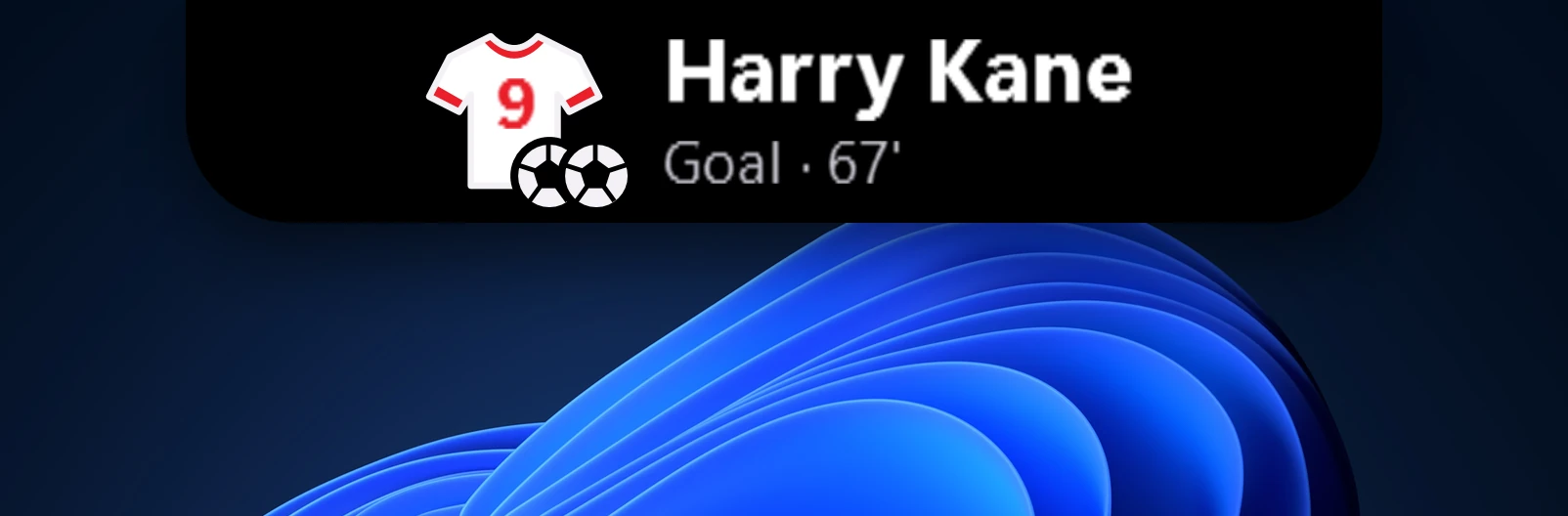
Every other sport gets the same card. A cricket four, six, fifty or hundred ends on the batter, and a wicket on the batter and then the bowler. Touchdowns, tries, home runs and hockey goals end on the scorer. Yellow and red cards show the card on the player's picture with what it was for, and a saved penalty or a goal ruled out by VAR ends on the player involved.
Everything else
Task dragging is rebuilt. Pick up a task and the others slide apart to show where it will land. Take it near the top or bottom and the list scrolls by itself, so moving a task across a long list is one drag.
Files on the macro deck. Add PDFs, documents and pictures beside your apps, scripts and folders, and drag shortcuts to put them in order.
Pictures load at once. Logos, crests and player photos are kept on your PC once fetched, and Matchday shows each competition's logo.
What's new. After each update, WinNotch shows what changed, once.
WinNotch updates itself, so 0.5.9 arrives on its own. New to WinNotch? Get it at winnotch.xyz.